Frequently Asked Questions

Find answers to the most common questions about Realtor Videos, including video hosting, supported formats, embedding options, analytics, subscriptions, and MLS-friendly features. If you need additional assistance, our support team is always ready to help

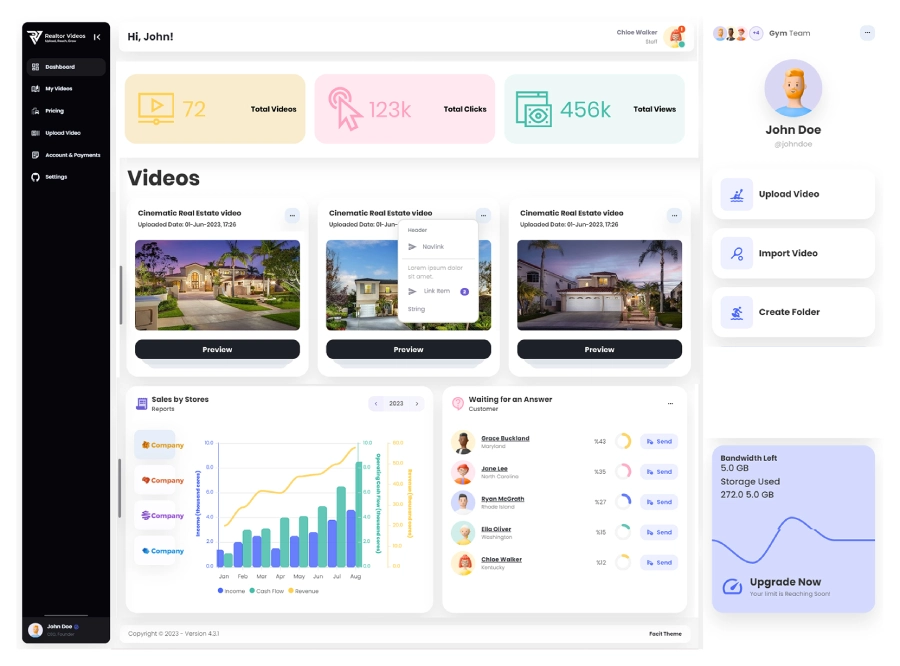
Realtor video Dashboard
What is Realtor Videos?

Realtor Videos is a real estate video hosting platform built for realtors, real estate agents, brokerages, property agencies, and developers. It allows you to upload, host, manage, embed, and share existing property videos without third-party ads, unrelated suggested videos, or distracting platform branding, helping you showcase listings more professionally.

Does the platform create or edit videos?

No. Realtor Videos is a video hosting platform, not a video creation or editing service. You can upload property videos you’ve already created using your preferred camera, drone, or video editing software.

Can I upload an existing property video?

Yes. You can upload existing property videos in supported formats such as MP4, MOV, and WebM. Once uploaded, you can organize, manage, share, and embed your videos through your Realtor Videos dashboard.

Are videos ad-free?

Yes. Realtor Videos offers ad-free real estate video hosting, ensuring your property videos play without third-party advertisements, unrelated suggested videos, or distracting platform branding.

Can I create an unbranded video link?

Yes. Realtor Videos generates clean, unbranded video links that can be shared across property listings, real estate websites, landing pages, email campaigns, and client communications.

Can I embed a video on my website?

Yes. Realtor Videos allows you to generate iframe embed codes so you can embed property videos on real estate websites, property listing pages, landing pages, and other supported platforms while maintaining a clean and professional viewing experience.

Can I restrict which domains embed my videos?

Yes. Realtor Videos includes domain-level embed controls, allowing you to specify approved websites where your videos can be embedded. This helps protect your content and prevents unauthorized embedding.

How does Realtor Videos work?

Simply create an account, choose your subscription, upload your existing property videos, configure your privacy and embed settings, and generate direct links or iframe embed codes. You can then share your videos across real estate websites, property listing pages, landing pages, and other approved marketing channels while tracking performance through built-in analytics.

What video formats are supported?

Realtor Videos currently supports MP4, MOV, and WebM video formats. If you require support for additional formats, please contact our team to discuss available options.

How do I generate an iframe embed code?

Open the video you want to share, select the Embed option, copy the generated iframe code, and paste it into your real estate website, property listing page, landing page, or any supported website.

Does Realtor Videos support MLS requirements?

Realtor Videos is designed to support common MLS video requirements by providing clean, ad-free, and unbranded property video links. Because MLS rules vary by organization and location, you should always verify your local MLS guidelines before submitting videos or virtual tours.

How secure is Realtor Videos?

Realtor Videos provides secure real estate video hosting with privacy settings, domain-level embed restrictions, controlled access options, and secure payment processing through Paddle. You remain in control of how and where your property videos are shared.

Is there a free plan or only a free trial?

Realtor Videos offers a 7-day free trial with every subscription plan. During the trial, you can explore the platform and test its features before your paid subscription begins.

What happens when the free trial ends?

When your 7-day free trial ends, your selected subscription plan will automatically begin unless you cancel before the trial expires.

How can I create a Realtor Videos account?

Click Start Free Trial or Sign Up, complete the registration form, create your account, and choose your subscription plan. Once your account is active, you can immediately start uploading, hosting, and sharing your property videos.

Can I cancel my subscription?

Yes. You can cancel your subscription at any time. Your account will remain active until the end of your current billing period, and your subscription will not renew after cancellation.

Start Hosting Your Property Videos Today

Explore our subscription plans and experience the power of professional real estate video hosting.

Video Demonstration